
Best “How Well Do You Know Me” Quiz Makers in 2026 (Compared)
Six ways to make a “how well do you know me” quiz for friends, compared on cost, sign-up, question options and how results are shown — from quick 10-question link quizzes to fully custom tests and a Christmas-tree leaderboard.
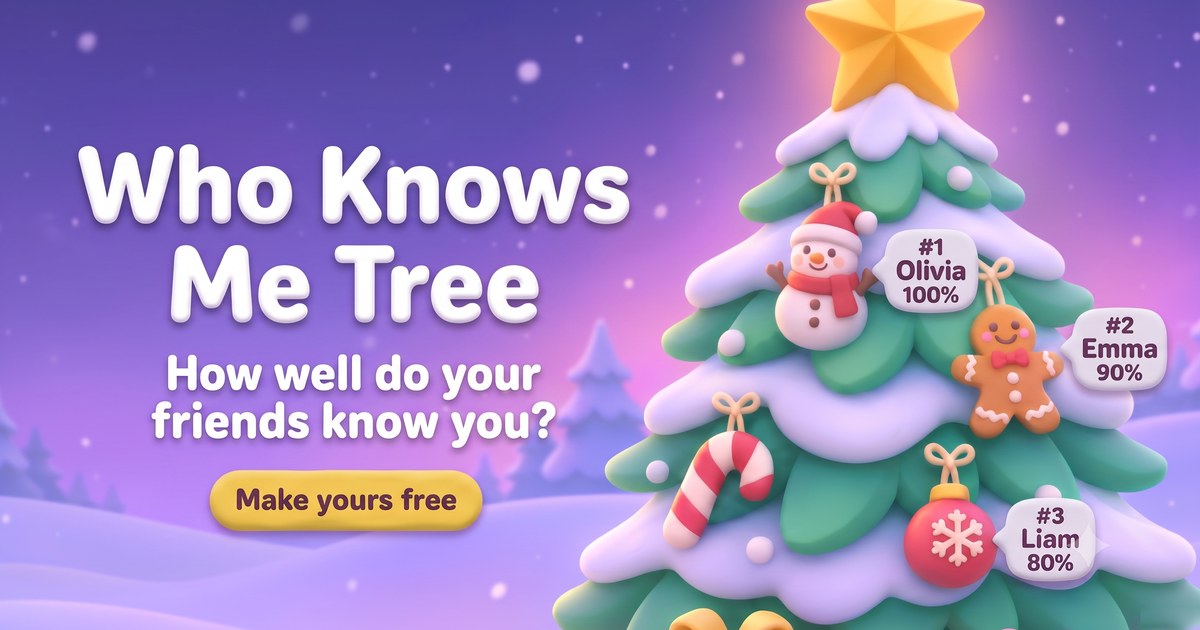
Short answer: If you want the fastest possible “how well do you know me” quiz for a group chat, a 10-question link quiz such as Best Friends Quiz or BuddyMojo does the job in about two minutes. If you want to write every question yourself without signing up, VISU’s Friendship Quiz Maker or the IDRLabs Friendship Test give you full control. If you need detailed score analytics, Google Forms in quiz mode is the most flexible. And if you want a festive version for the holidays — with friends ranked on a Christmas tree and letters that open on December 25 — try Who Knows Me Tree.
Last checked: November 2026. Features change often, so confirm details on each site before you share.
How we compared
We opened each tool’s public page and only list features the page itself describes. We looked at five things:
- Cost — is it free to create and play?
- Sign-up — does the creator or the friend need an account?
- Questions — how many, and can you write your own or pick from a list?
- Results — how friends’ scores are shown (leaderboard, per-question review, analytics).
- Device — does it work in a phone browser without installing an app?
Where a site doesn’t say something, we mark it as “not stated” instead of guessing.
Comparison table
| Tool | Questions | Custom questions | Friend needs account? | How results are shown |
|---|---|---|---|---|
| Who Knows Me Tree | 10, 20 or 30 from a 120-question bank; swap any | Pick and swap from the bank | No (quick human check) | Christmas tree ranked by score, ties by speed |
| Best Friends Quiz (bestfriendsquiz.app) | 10 | Not stated | No (“No accounts needed”) | Results page ranking everyone top to bottom |
| BuddyMojo (buddymojo.com) | 10 | Not stated | Not stated | Friends’ scores at your quiz link |
| VISU Friendship Quiz Maker (visu.network) | 3–12, each with 2–4 options | Yes, write your own | No sign-up | Per-question comparison and a score image; no server-side ranking |
| IDRLabs Friendship Test (idrlabs.com) | 7, each with 2–5 options | Yes, write your own | Not stated | Shows which friends matched the most answers |
| Google Forms (quiz mode) | Any number | Yes, fully custom | No by default (can be restricted) | Score summaries, averages and per-person grading |
Who Knows Me Tree — best for a Christmas friendship quiz
Who Knows Me Tree is a free “how well do you know me” quiz built around the holidays. You choose a quick 10-question round, a classic 20 or a 30-question best-friends challenge from a bank of 120 English questions, swap out any question you don’t like, and tap your own answers. Then you share one link.
Friends open the link in any phone or computer browser — no app and no account, just a quick human check before they submit. Each friend hangs an ornament on your tree: more correct answers hang higher, and when two friends tie, the faster one ranks above. Friends can also leave an optional letter or voice note that stays sealed until December 25.
- Pros: free to create and play; friends don’t sign up; a visual leaderboard that’s fun to screenshot; sealed Christmas letters add something beyond the score.
- Cons: questions come from the built-in bank rather than being written from scratch; it’s seasonal by design; you sign in once to save your tree. Optional paid extras exist (a quiz retake and special ornaments), though the core quiz is free.
Best Friends Quiz — best for a classic 10-question link quiz
Best Friends Quiz keeps things simple: you pick the answers that match you, get a unique link, and share it in group chats, stories, bios or DMs. The site says creating one “takes about two minutes,” there are “no accounts needed” and “no app to download.” Friends get an immediate percentage score, and a results page lists everyone’s names “ranked from top to bottom.”
- Pros: very fast; no accounts; clear ranked results page.
- Cons: fixed at 10 questions; the page doesn’t say whether you can write custom questions.
BuddyMojo — a long-running “answer 10 questions about yourself” format
BuddyMojo asks you to answer “any 10 questions about yourself,” after choosing a region (India, USA, United Kingdom, Australia or Others). It then generates a quiz link for friends to guess your answers, and you can check your friends’ scores at that link.
- Pros: familiar format many people already know; region-based question sets.
- Cons: the homepage doesn’t state pricing, sign-in requirements or whether questions can be customized, so check before relying on it.
VISU Friendship Quiz Maker — best for writing every question yourself
VISU’s Friendship Quiz Maker runs in the browser with no sign-up. You write between 3 and 12 questions, each with 2 to 4 options, and mark the answer that’s true for you; question ideas and an example quiz help you start. Friends get a score and see your answers compared with theirs, question by question, and can save a score image.
- Pros: fully custom questions; no account; per-question comparison.
- Cons: the page says there’s no server-side ranking, and your answers are stored inside the link itself — so anyone with the link can read them. Keep it light and avoid anything private.
IDRLabs Friendship Test — best for a short custom test
IDRLabs lets you write a seven-question test with two to five answer options each, then gives you a customized URL to share. Invited friends try to match your answers, and the test shows which friends matched the most.
- Pros: custom questions and answers; a short format that friends actually finish.
- Cons: fixed at seven questions; the page doesn’t state pricing or sign-up rules.
Google Forms (quiz mode) — best for detailed results
Google Forms isn’t a friendship-quiz app, but quiz mode works well if you want full control. Turn on “Make this a quiz,” set an answer key and point values for each question, and choose whether scores are released immediately or after review. The Responses tab shows summaries such as frequently missed questions and average, median and range of scores. Respondents don’t have to sign in unless you restrict the form to your organization.
- Pros: unlimited, fully custom questions; detailed score analytics; familiar tool.
- Cons: you need a Google account to build it; there’s no playful leaderboard or friendship theme, so it feels more like a test than a game.
Which one should you pick?
- You want it done in two minutes: Best Friends Quiz or BuddyMojo.
- You want to write every question: VISU or IDRLabs (or Google Forms for longer quizzes).
- You want stats on who missed what: Google Forms.
- It’s the holiday season and you want something festive: Who Knows Me Tree — friends climb a Christmas tree by score and can leave a letter for Christmas Day.
Whatever you choose, keep questions fun rather than private: favorite snacks, little habits and “what would I do if…” scenarios work better than anything you wouldn’t post publicly.
FAQ
What is a “how well do you know me” quiz?
It’s a quiz you answer about yourself first. You then share a link, friends try to guess your answers, and everyone gets a score showing how well they know you.
Do my friends need an account to take the quiz?
On most link-based quiz makers, no. Best Friends Quiz, VISU and Who Knows Me Tree all let friends play without signing up; Google Forms only requires sign-in if you restrict the form.
How many questions should a friendship quiz have?
Ten is the sweet spot for a group chat because people finish it. Use 20–30 questions only for close friends who enjoy a challenge.